Never wonder if
you took it.
Taken gently reminds you when it’s time — and remembers what you took, so you don’t have to. Loud enough to hear, simple enough to trust.
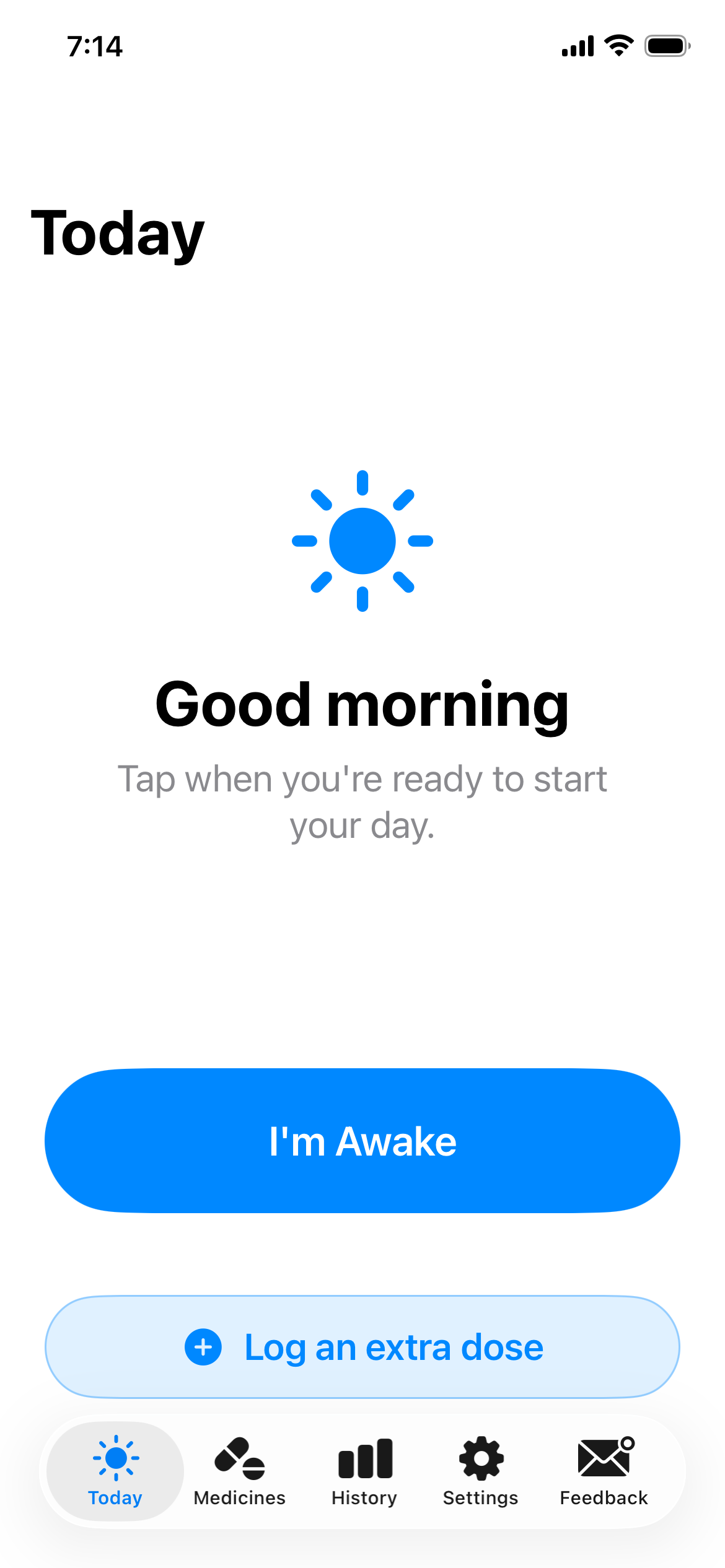
Impossible to miss
Reminders use your phone’s alarm system, so they’re loud even on silent — or while you’re napping.
Yours alone
Everything stays on your device. No account, no cloud, no tracking — your medicines are nobody’s business but yours.
Made to be simple
Big text and one clear action at a time. Designed with older hands and tired minds in mind.
For doses timed from when you wake, Taken re-spaces the whole day around you — not a rigid clock.
Everything you need. Nothing you don’t.
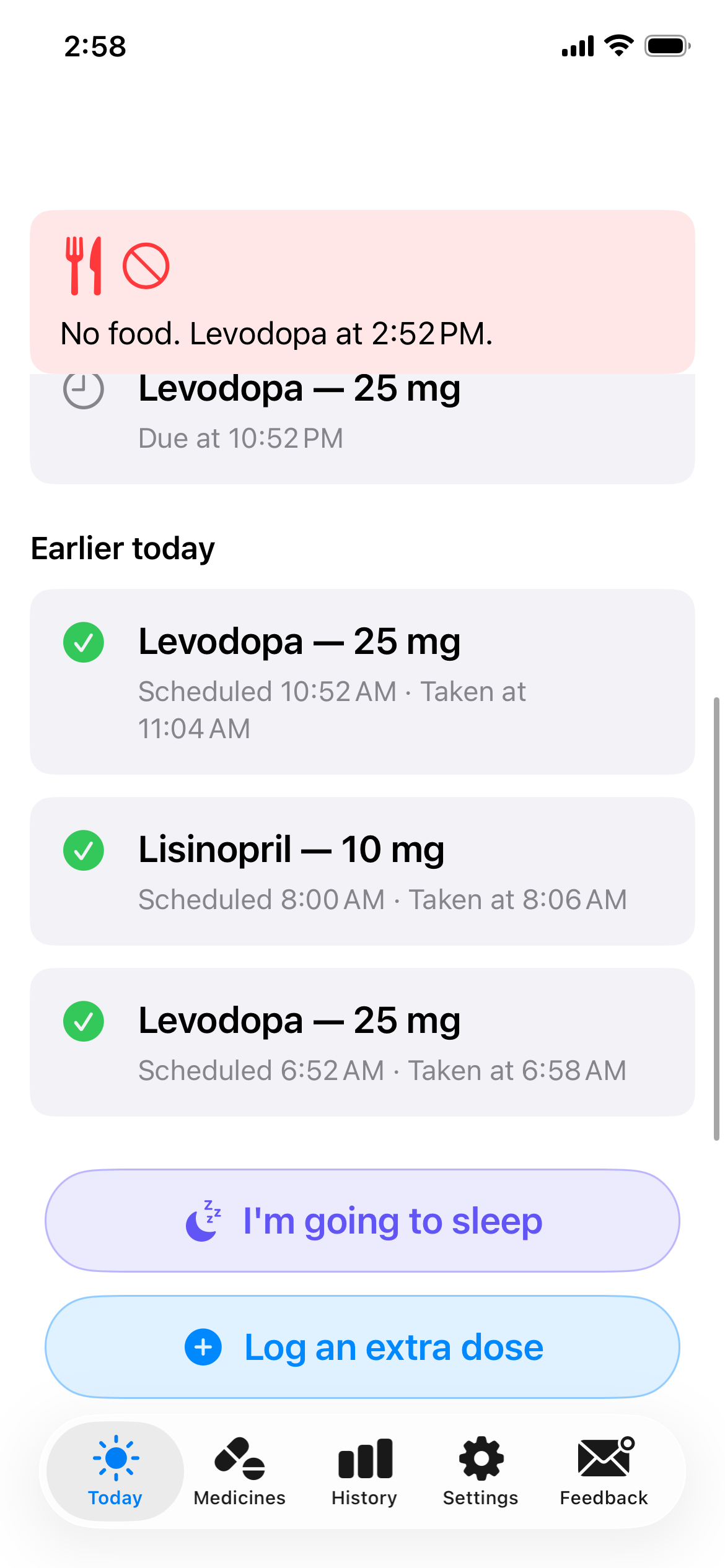
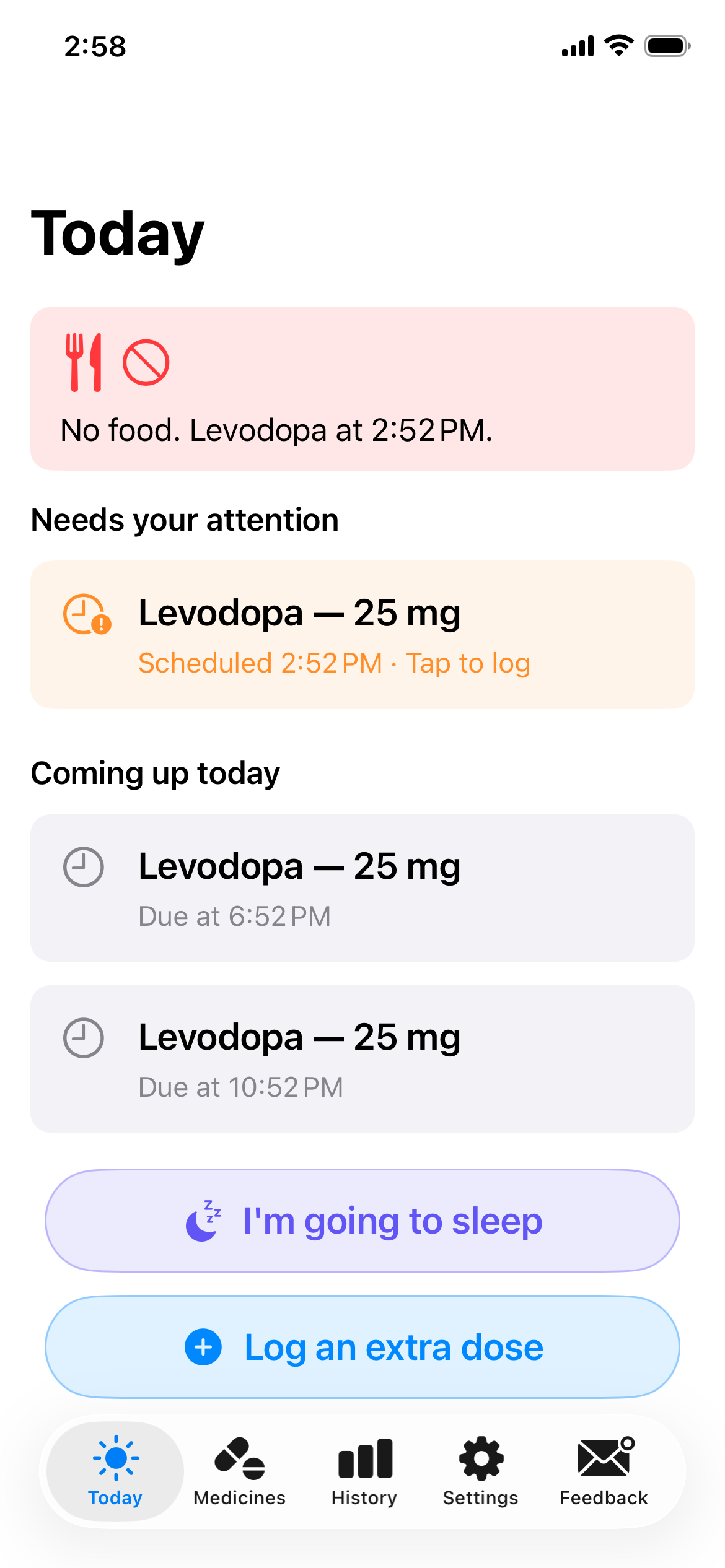
See today at a glance
One clear list of what needs you now, what’s coming, and what’s already done — color-coded so the important things stand out and nothing hides.
- One tap to mark a dose taken
- Clear status for every dose — pending, taken, missed
- Always shows what’s coming next
Reminders that reach you
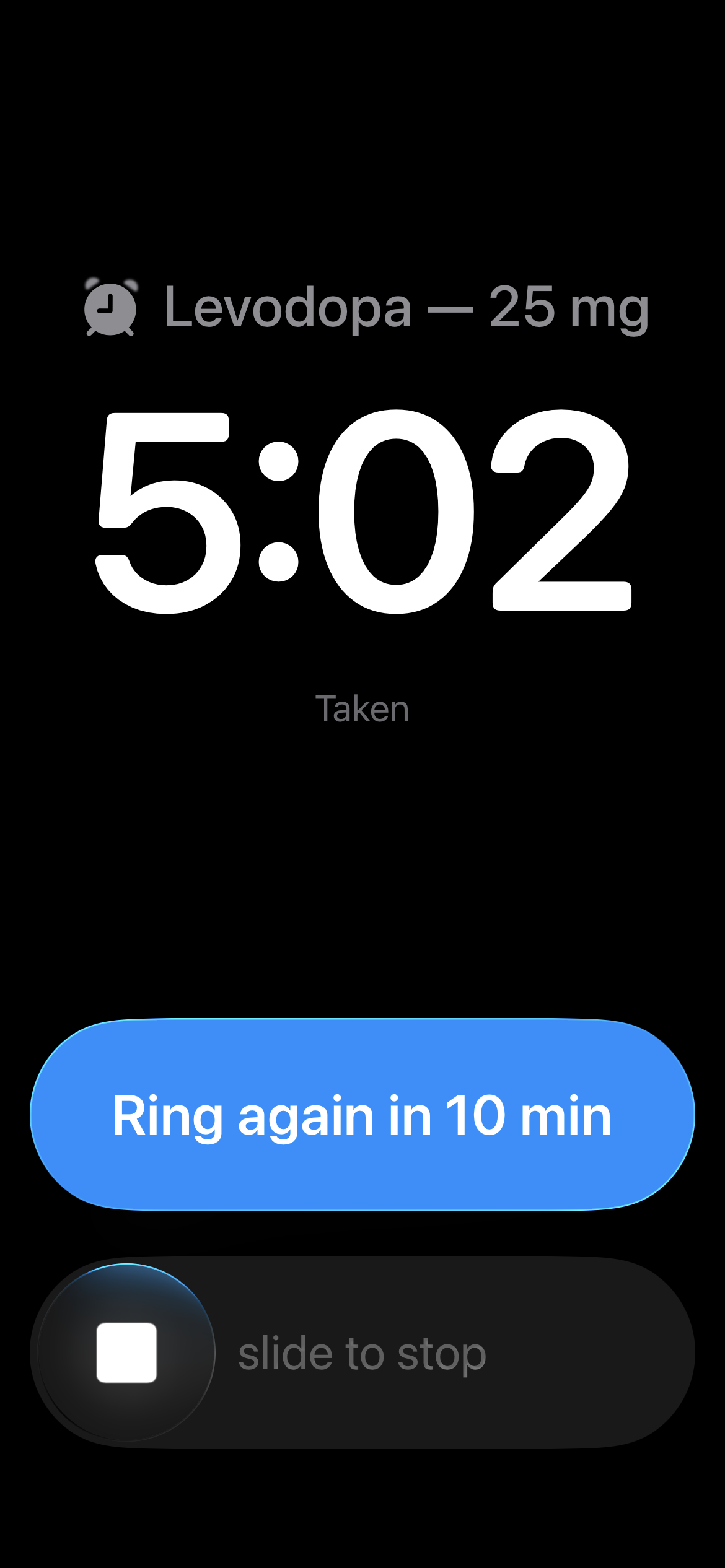
Loud, distinctive alarms that cut through silent mode and afternoon naps. Take or snooze right from the notification.
- Heard even when your phone is silenced
- Take, snooze, or skip without unlocking
- Wakes with you and follows your day
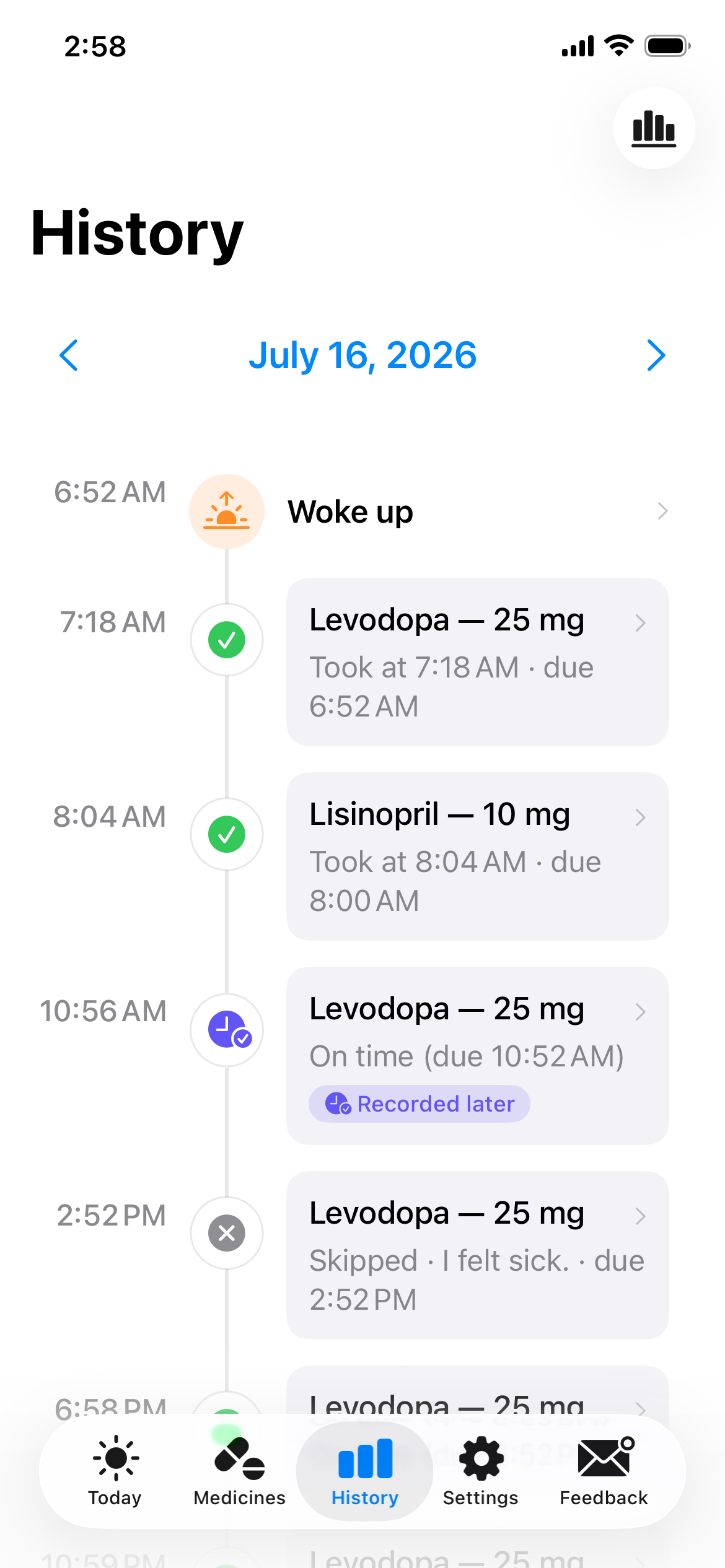
Look back with confidence
Groggy after a nap and not sure? Check exactly what you already took. Reassure family with a single glance.
- A clear history of every dose
- ’Did I take my 2pm pill?’ — answered instantly
- Peace of mind for you and the people who care
Two ways to stay on time.
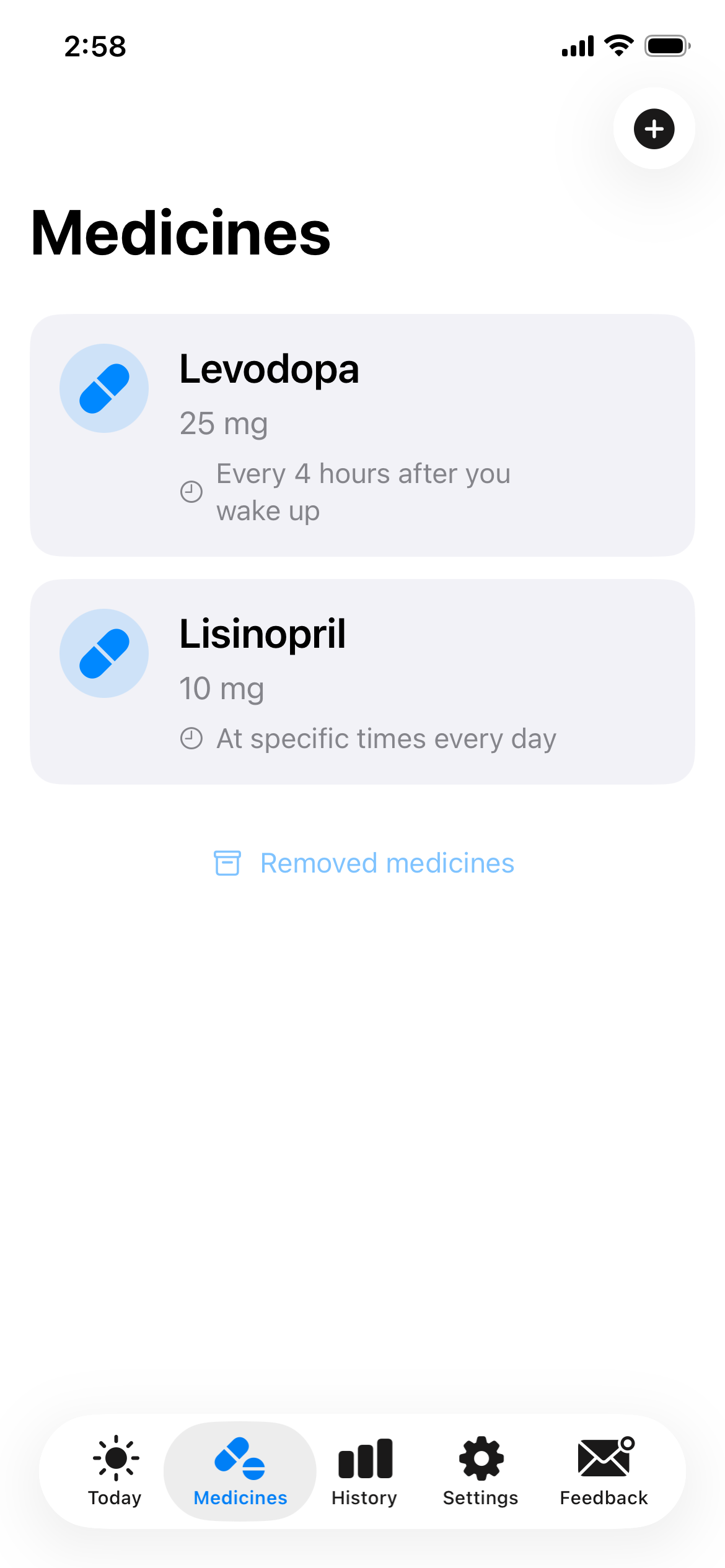
Most reminder apps only know the clock. Taken does that too — and something smarter for medicines that follow your body, not your calendar. You pick the type for each medicine when you add it.
Fixed times
Set the exact times a medicine’s alarm should fire. They ring on schedule, every day, just like you’d expect.
Interval from wake
Some medicines are timed from when you wake — ’every 4 hours,’ not ’at 8 o’clock.’ Tell Taken the interval, and it builds each day’s doses around the moment you actually get up.
- Wake at 6:30 or 8:00 — the whole day shifts to match
- Doses spread evenly from wake until bedtime
- Recalculated each morning, so it’s never stale
Take one early or late? The rest of the day re-spaces from when you actually took it — keeping your interval steady, not just resetting the clock.
Some medicines don’t mix with meals.
Levodopa and others work best on an empty stomach — food, especially protein, can blunt how well a dose absorbs. Taken lets you set a no-food window around each dose, then shows exactly where you stand.
- Set a no-food window before and after each dose, from 15 minutes to 2 hours.
- A gentle ’finish eating by…’ heads-up before the window begins.
- The after-dose window counts from when you actually took it — not the clock.
 Taken
TakenHome Screen widget — see it without opening the app
Three steps. Then it just works.
Add your medicines
Tell Taken what you take and when. A guided setup — not a blank form to puzzle over.
Get reminded
Taken watches the clock so you don’t have to. Reminders arrive right on time, every time.
Tap “Take”
One tap records the dose. That’s it — Taken remembers the rest, so your mind is free.
Built for real life — naps, tremors, and all.
Days don’t run on schedule. You doze off, lose track of time, misplace your glasses. Taken is patient with all of it — kind, forgiving, and always ready to tell you exactly where you stand.
Questions, answered
Is my information private?
Yes. Everything Taken knows lives only on your iPhone. There’s no account, no cloud sync, and no tracking of any kind. Your medicines are nobody’s business but yours.
What if I wake up at a different time each day?
That’s exactly what interval scheduling is for. For medicines timed from when you wake — ’every 4 hours,’ not ’at 8 o’clock’ — Taken builds the day’s doses around the moment you actually get up, and re-spaces them if you take one early or late.
Can Taken help me time food around a dose?
Yes. Some medicines — like Levodopa — absorb best on an empty stomach. You can set a no-food window before and after each dose, get a ’finish eating by…’ heads-up, and see a clear green/amber/red status of where you stand.
Can I check things without opening the app?
Add the Taken widget to your Home Screen to see your last and next dose — and any active food window — at a glance. It works offline, right alongside your other widgets.
Is Taken really free?
Yes — free, and always will be. Every feature works for everyone; nothing is locked behind a paywall. If you have the means and want to support development, there’s a completely optional tip jar in the app’s settings — but it unlocks nothing extra.
Is Taken a medical device?
No. Taken is a reminder tool — it isn’t a medical device and doesn’t give medical advice. Always follow your doctor’s instructions, and keep a backup reminder for anything critical. Alarms can fail.
More questions? Visit Support or email adam@takenwell.com.
Start remembering, effortlessly.
Download Taken free and never wonder if you took it again.